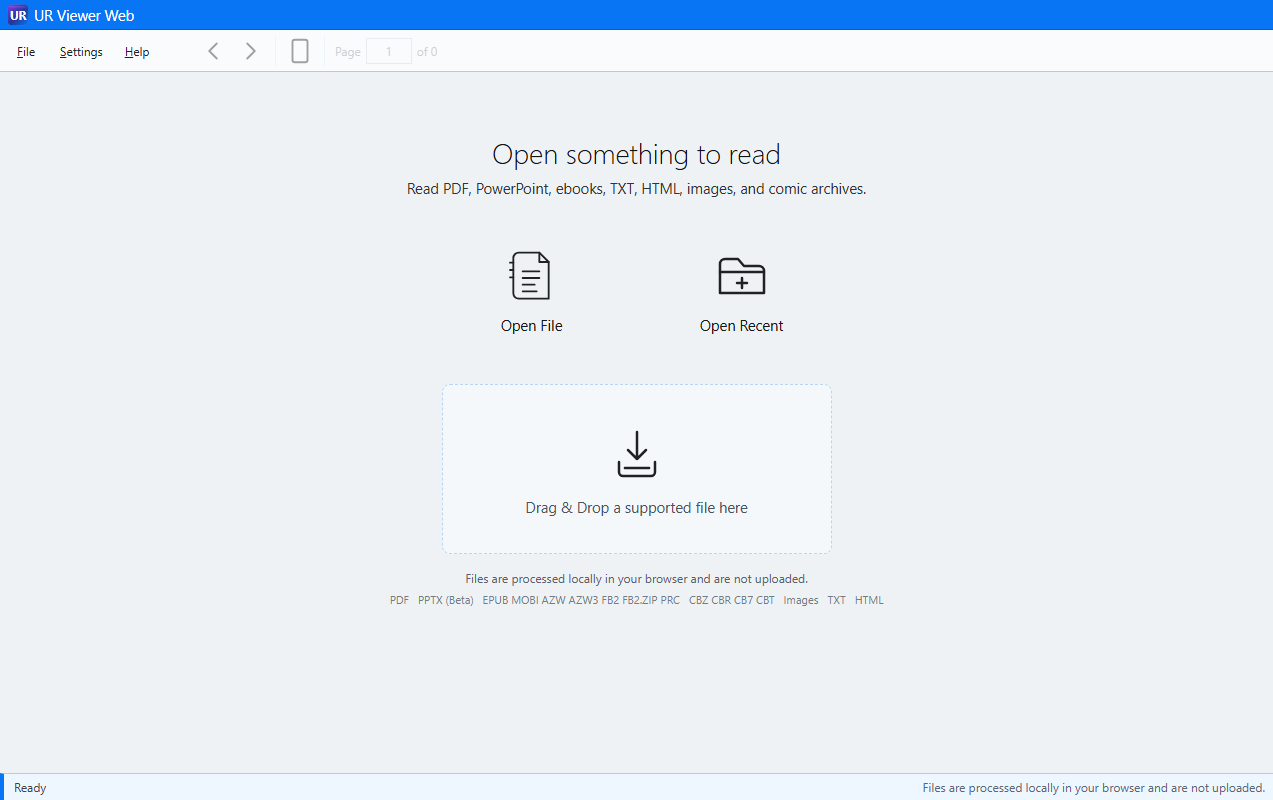
Viewer Web
I need to open something now.
Hosted at ursuite.app. No installation. Internet access is needed to load the Viewer.
Viewer Web detailsUR Viewer Web · Hosted online
Open a local PDF, ebook, comic, PPTX, or image in your regular browser. Get the controls that make sense for that kind of content—without installing a specialized viewer first.
The website loads the Viewer. The supported local file stays in your browser tab.

A common PDF task, from start to finish
Download it. Open it. Fill it. Sign it. Save it. Send it back.
In Gmail, Outlook, or another email service, download the PDF to your computer. It will often go to Downloads.
Go to ursuite.app/viewer/ in your normal browser.
Choose Open File and select the download, or drag the PDF from File Explorer into Viewer Web.
Use Fill & Sign to add text, dates, other form information, checkmarks, and a signature image.
Save a standard PDF copy to your computer so it is ready to attach.
Return to the original email, reply, attach the saved signed PDF, and send it.
Viewer Web does not connect to Gmail or Outlook. You download the attachment first, then open that local file in the Viewer.
PDF is everywhere: legal, medical, and government forms; applications; contracts; statements; manuals; articles; books; and scans. UR Viewer Web gives you one practical place to open, read, complete, sign, save, and return it.
Fixed-page views use Fit Page. Scrolling views use Fit Width. The stable page surface supports dependable Fill & Sign work, while scrolling views provide a larger reading option.
Ebooks
EPUB and related ebook formats commonly contain reflowable text. Unlike a PDF page, the words are not permanently fixed to a printed layout. They can adapt to the screen, reading width, font, and text size.
An ebook should let the reader enlarge the words, not enlarge the whole interface.
Supported families: EPUB, MOBI, AZW, AZW3/KF8, PRC, FB2, and FB2.ZIP, subject to DRM and encryption restrictions. Converted ebook formats use the same EPUB reading behavior.
Comics
CBZ, CBR, CB7, and CBT package sequences of images as comic books, graphic novels, illustrated books, magazines, and scanned publications. They are page-image books, so UR Viewer uses book-style layouts.
You should not need a specialized comic reader just to open the book.
Use Single Page, Single Page Scrolling, Two Page, Two Page Scrolling, Cover, or Cover Scrolling for one-page reading, continuous reading, traditional spreads, cover-first reading, and magazine-like viewing.
Because the book is fundamentally a collection of original images, UR Viewer Web can also save selected pages or extract the entire book’s page artwork.
Presentations
Sometimes you only need to see or present a slide deck. You do not need a full authoring environment just to view it.
Open and review PPTX files, navigate slides, present them fullscreen in Slide Show, and inspect a small chart, diagram, image, or text detail.
Point toward the detail you want to see and zoom into that area. After zooming, pan across the enlarged slide.
PPTX has a strong read-only visual use case once a slide is rendered. DOCX and XLSX depend much more on editing, formulas, pagination, embedded objects, layout fidelity, application-specific formatting, and authoring features. A partial viewer could suggest content is reproduced exactly when it is not, so UR Viewer Web deliberately avoids becoming a partial browser office suite.
Images
Open a photograph, scan, screenshot, or illustration; inspect a detail; view a group; or run a Slide Show. You should not need a full photo organizer or editor simply to inspect a picture or present a collection.
Use Fit or Actual Size. Move toward the area you want to inspect and zoom directly into that part of the image, then pan across it.
Viewer Web also supports image printing, Save Image, animated GIF playback, and local HEIC/HEIF still-image decoding. HEIC/HEIF sequences, Live Photo video, and HDR presentation are not supported.
A viewer designed around the task
The controls follow the content instead of forcing every file type into the same viewing model.
Which UR Viewer should I use?
I need to open something now.
Hosted at ursuite.app. No installation. Internet access is needed to load the Viewer.
Viewer Web detailsI want to carry it and use it offline.
Local resources, no installation, and your regular browser. Good for USB drives, travel, secondary computers, and offline environments.
Viewer Portable detailsI want Windows integration.
Local resources, installed into Windows, and your regular browser. Intended for file associations, icons, and double-click opening.
Viewer Desktop details